
Does Final Fantasy Resonance Need Nintendo Switch Online?
Nintendo lists cloud saves, not an NSO play requirement. Cloud backups need membership; the Switch editions cannot transfer saves.
FAQ
Do I need Nintendo Switch Online to play Final Fantasy Resonance?
Will Nintendo Switch Online move my save from the Switch version to the Switch 2 version?
Do I need Nintendo Switch Online to transfer a save to a nearby Switch 2?
Can I use a Switch-edition save on both a Switch and Switch 2 console?
Does Final Fantasy Resonance require Nintendo Switch Online?
Nintendo’s U.S. product pages do not list Nintendo Switch Online as a condition for playing Final Fantasy Resonance. They list the game as one-player and show Save Data Cloud in the Nintendo Switch Online section. Nintendo Support says an NSO membership is required for cloud backups, while its nearby-console save-transfer feature does not require NSO. The product pages still say the two game editions cannot carry saves between each other. Whether the game can launch fully offline is To be confirmed.
What does Nintendo list for each version?
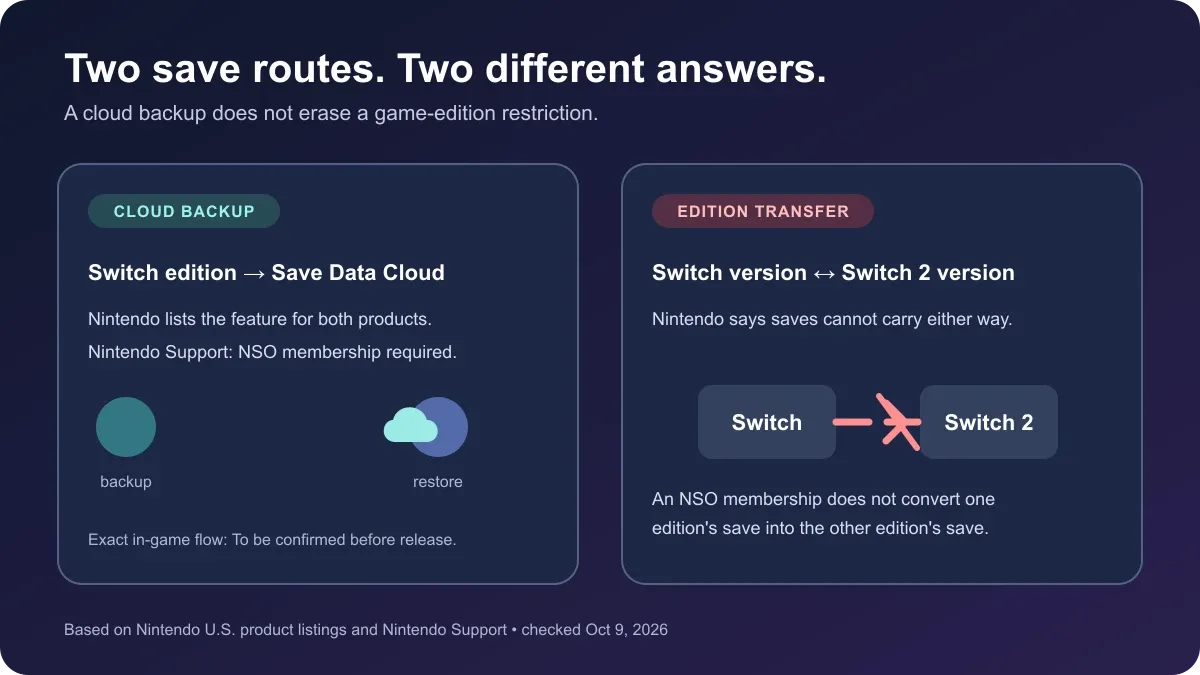
The U.S. store pages show the same cloud-save feature for the two products, but also state that their game saves cannot move between versions. Those statements answer different questions: NSO covers the cloud service, while the version notice defines the limit between the two editions.
| Question | What the official pages confirm |
|---|---|
| Is NSO listed as a condition to play? | No gameplay membership requirement is shown on the product pages. They list Single system (1) and place Save Data Cloud under Nintendo Switch Online. Full offline launch behavior is To be confirmed. |
| What needs NSO? | Nintendo says membership is required to use Save Data Cloud. Both game listings show that feature. |
| Does a nearby console save transfer need NSO? | Nintendo says no membership is required for its nearby-console save-transfer feature. It still requires both consoles and an internet connection; a completed transfer removes the save from the source console. |
| Can a Switch-edition save become a Switch 2-edition save? | No. The product pages say save data cannot be carried from the Nintendo Switch version to the Nintendo Switch 2 version, or from the Switch 2 version to the Switch version. |
| Is the Switch edition compatible with Switch 2 hardware? | Nintendo marks the Switch edition’s Switch 2 hardware compatibility as supported. That is different from moving progress into the separate Switch 2 game version; the exact same-edition save flow is To be confirmed before release. |
Cloud backup is not an edition upgrade
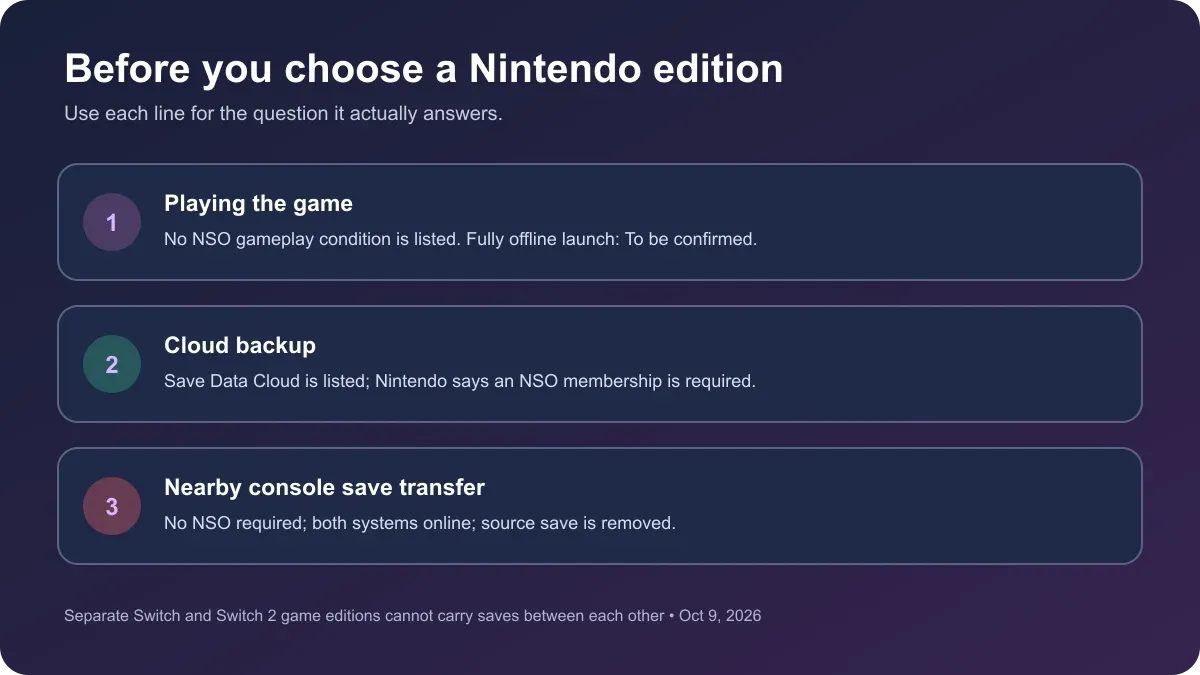
It is easy to read “Save Data Cloud” as a general promise that any save can move anywhere. Nintendo documents two separate console services. Cloud backup requires a Nintendo Switch Online membership. A nearby-console save transfer does not require membership, but both consoles must be online and the same Nintendo Account must be linked; Nintendo says the save is removed from the source after transfer. Neither service changes what game edition the save belongs to.
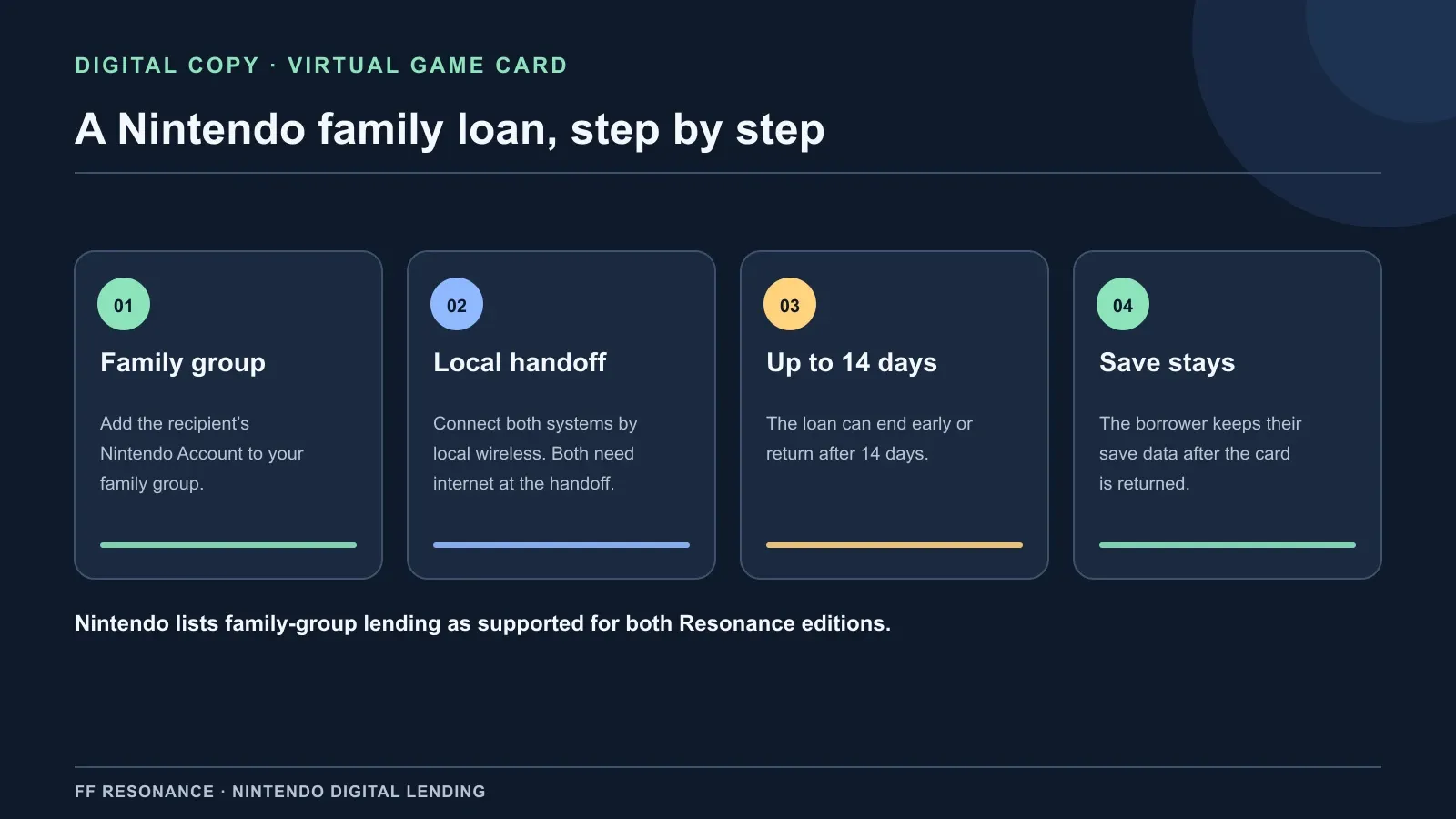
Nintendo also lists family-group lending as supported for both Final Fantasy Resonance digital editions. That Virtual Game Card loan uses a Nintendo Account family group and a local-wireless handoff; it is separate from cloud backup. See the Switch family-lending guide for the 14-day rule and edition compatibility check.
Final Fantasy Resonance has two separate Nintendo products. Their listings explicitly say the Switch and Switch 2 versions cannot carry save data between each other. The safe reading is to distinguish hardware from game edition: Nintendo marks the Switch edition compatible with Switch 2 hardware, while a Switch-edition save is not documented as a save for the separate Switch 2 edition. Cloud backup or a nearby console transfer cannot turn one edition’s save into the other edition’s save. The compatibility field and no-transfer notice can both be true.
The game’s exact cloud menu and backup timing have not been checked in a released build. The Nintendo pages list the feature, but hands-on steps for this title are To be confirmed until the game is available and tested.
Before starting on Switch or Switch 2
- Choose the game edition first. The Switch 2 edition does not run on the original Switch, and Nintendo says the two editions do not share carried-over saves.
- Use NSO for cloud backup. Nintendo requires membership for Save Data Cloud. Check the game’s cloud-backup status and account on the console after launch.
- For a nearby console transfer, membership is not required. Nintendo’s general transfer flow still needs both consoles and an internet connection, uses the same Nintendo Account, and removes the transferred save from the source. Check the title-specific save route before starting.
- Keep offline claims separate. Nintendo does not state whether this game can launch fully offline; that is To be confirmed.
For the edition and hardware boundary, see our Switch 2 compatibility and save guide. The demo guide explains the announced demo-to-full-game carryover, which is a separate route. If you are choosing a digital version, the file-size guide compares Nintendo’s published estimates.
Will NSO move my save between the two editions?
No. Nintendo’s listings say the Switch and Switch 2 Final Fantasy Resonance editions cannot carry saves between each other, and an NSO cloud backup does not override that restriction. If you mean a nearby console save transfer, Nintendo says that service does not require membership; it does require both consoles online and removes the save from the source when complete.
Official sources
- FINAL FANTASY RESONANCE for Nintendo Switch — one-player field, Save Data Cloud listing, Switch 2 compatibility status, and the no-transfer notice; checked October 9, 2026.
- FINAL FANTASY RESONANCE for Nintendo Switch 2 — Save Data Cloud listing, Switch 2-only compatibility, and the no-transfer notice; checked October 9, 2026.
- Nintendo Support: How To Identify If a Game Supports Save Data Cloud Backup — membership requirement and Nintendo’s general cloud-backup rules for compatible software.
- Nintendo Support: How to Download Save Data Cloud Backups on Nintendo Switch — membership requirement and backup-download behavior.
- Nintendo Support: How to Transfer Your Save Data To a Nearby Console — nearby-console transfer does not require NSO; both systems need internet and the transfer removes the source save.
The Nintendo U.S. listings were checked October 9, 2026, before the October 22 release. The title’s actual offline launch and in-game cloud steps remain To be confirmed.
Gallery
Related Articles
guides
How to Save in Final Fantasy Resonance
Find the manual save option on the field map and use save points in towns and dungeons.
guides
Final Fantasy Resonance New Game Plus: Cleared Save Explained
Find out what a cleared save does and what has been reported about New Game Plus in Final Fantasy Resonance.
guides
Final Fantasy Resonance Steam Save File Location on Windows
Find the Windows Steam demo and full-game save folders and understand what a local backup does.
Was this helpful?
Thanks for the feedback!