
Can You Family Share Final Fantasy Resonance on Steam?
Steam lists Family Sharing for the full game. Learn the copy-count rule, separate saves, Steam Families limits, and what is still untested before launch.
FAQ
Can you family share Final Fantasy Resonance on Steam?
Can two people play Final Fantasy Resonance at the same time with one Steam copy?
Does a shared Steam copy use the owner's save file?
Can I share the free Final Fantasy Resonance demo?
Does Steam Family Sharing make Final Fantasy Resonance co-op?
Can you family share Final Fantasy Resonance on Steam?
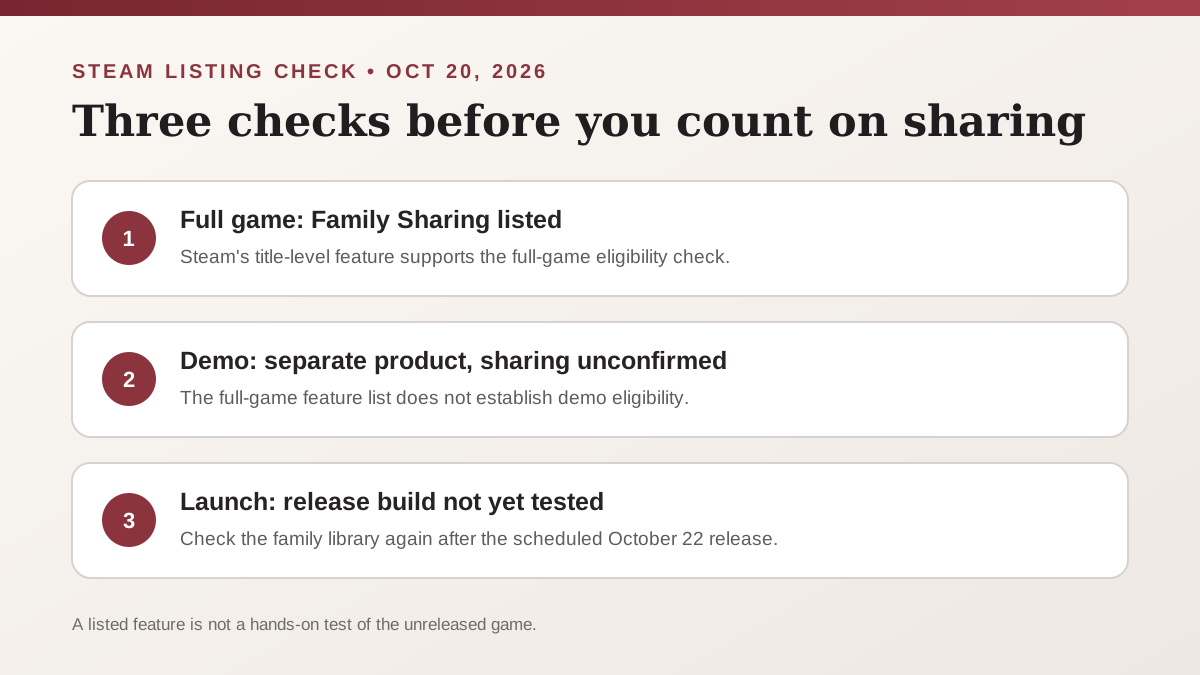
Yes. As checked on October 20, 2026, Steam’s full-game product page lists Family Sharing. Valve says eligible Steam Family members can access shareable games from one another’s libraries, with separate saved games and Steam achievements. The game is still scheduled for October 22, so the exact release-build launch from a borrowed library has not been hands-on tested yet.
How many family members can play one copy at once?
Steam counts copies of the same title in the family library. One copy means one family member can play Final Fantasy Resonance at a time. If two members want to play it simultaneously, the family needs two copies. Each copy adds one simultaneous seat for that title; it does not create a shared co-op session.
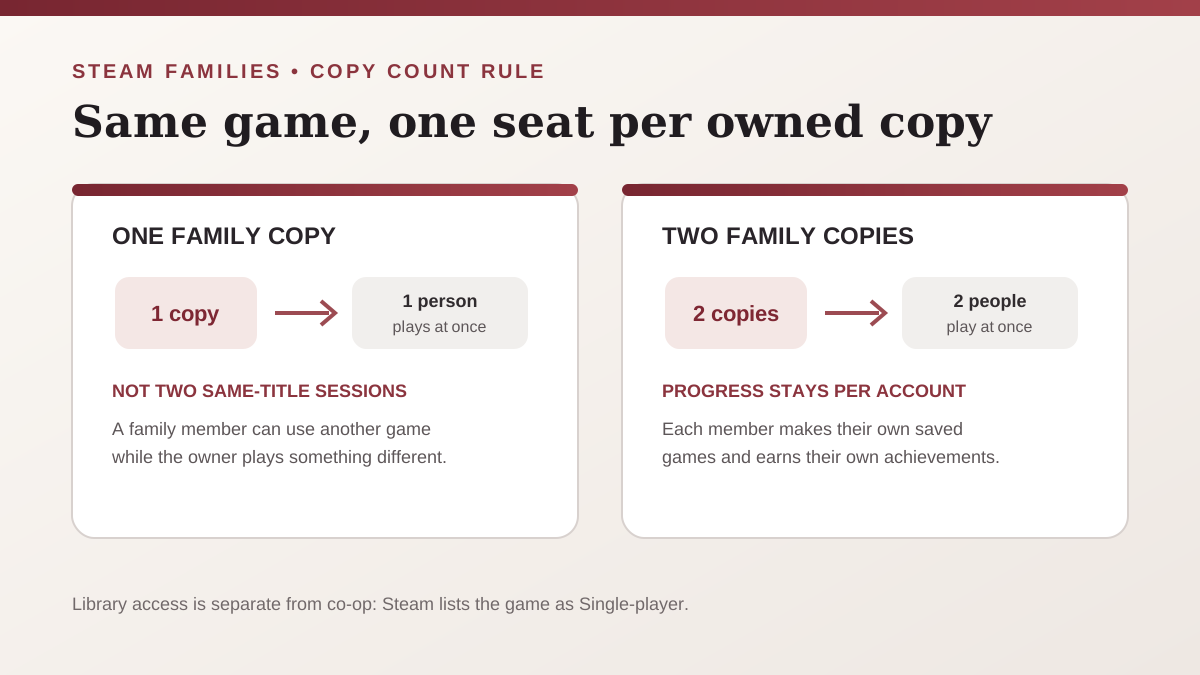
Valve also says a family member can use a shared game while the owner is online playing a different game. The restriction applies when two people try to run the same title and the family only has one copy. Steam’s current FAQ describes Steam Families as intended for a household of up to six close family members; an adult who leaves a family must wait a year before joining or creating another one.
What happens to saves and achievements?
Valve says a member who launches a game from a family’s shared library makes their own saved games and earns their own Steam achievements. So a family member does not continue the owner’s Steam save simply by borrowing the game. Steam’s family-library rule is general; the exact save files, first-launch flow, and any game-specific behavior in Final Fantasy Resonance are To be confirmed until they can be checked after release.
This is separate from Steam Cloud. The Steam Cloud guide covers syncing supported saves between a player’s own devices; Family Sharing concerns library access for another eligible Steam account. Cloud support does not combine two family members’ progress.
Does the Steam Family Sharing label include the free demo?
Do not infer that from the full-game page. Steam lists the free demo as a separate product, while the Family Sharing feature appears on the full-game product. The checked official pages do not confirm that the demo can be family shared, so demo eligibility is To be confirmed. Check the demo’s own Steam page after any product-page change rather than using the full-game feature list as proof.
Steam sharing is not co-op
Steam’s game page lists Final Fantasy Resonance as Single-player. Family Sharing can let different eligible household members take turns using a shared license, but it does not add online co-op, local multiplayer, or a second player slot. If your purchase depends on playing together, check the game’s multiplayer status separately.
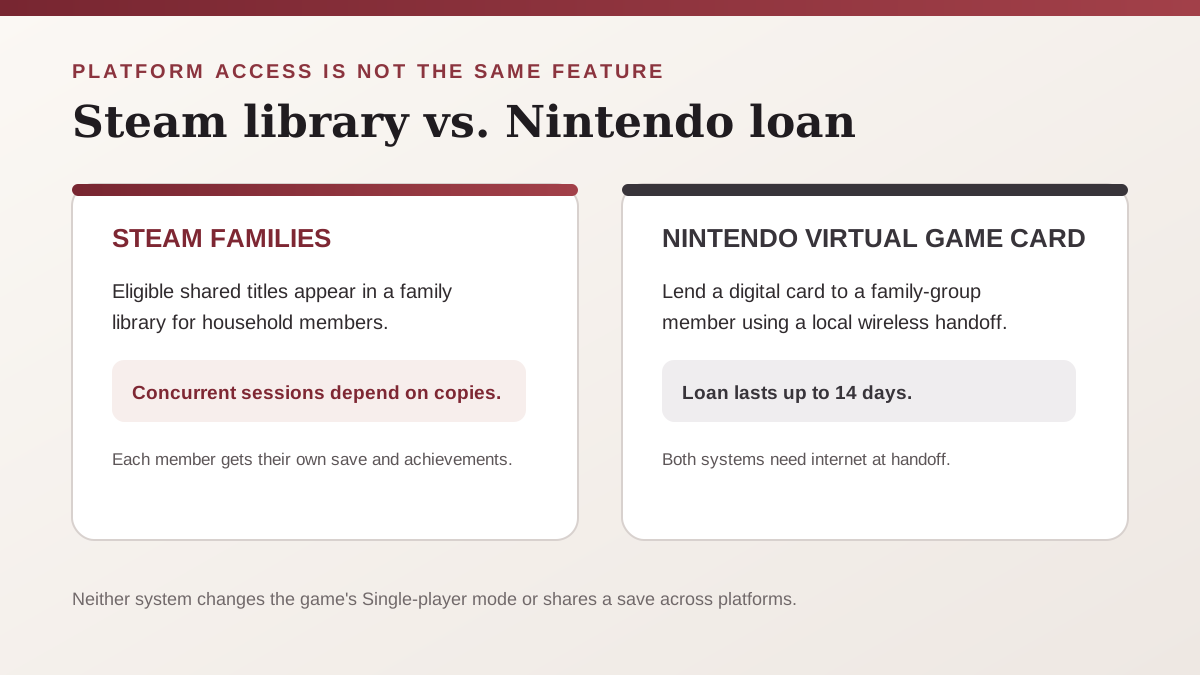
The Steam and Nintendo systems also answer different practical questions. Steam Families provides library access for household members, subject to the number of copies available for concurrent play. Nintendo’s Virtual Game Card feature lends a digital game to a family-group member for up to 14 days and requires a local-wireless handoff while both systems are online. See the separate Nintendo Switch family-lending guide for those console steps; a Steam purchase does not transfer to a Switch edition.
A pre-launch check before you rely on sharing
- Open the full-game Steam page and confirm the Family Sharing feature is still listed.
- Make sure the accounts belong to a Steam Family that follows Valve’s household rules.
- Count how many family members want to play the same title at the same time. One copy supports one simultaneous player; two copies support two.
- Treat each account as having its own progress. Do not plan around sharing one save or playing co-op.
- Recheck the shared-library entry after the October 22 release. The exact Final Fantasy Resonance borrowed-copy launch flow is To be confirmed until tested on the release build.
The store feature establishes the current sharing listing, not an offline-launch promise. The PC edition’s separate DRM and connection checks are covered in the PC offline-mode guide. For device compatibility, see the Steam Deck Verified guide.
Official sources checked October 20, 2026
- Steam: FINAL FANTASY RESONANCE — the full-game listing’s Family Sharing and Single-player feature labels, plus the separate demo entry.
- Valve: Steam Families is here — shared-game eligibility, separate saves and achievements, one-copy concurrency, household size, and family membership rules.
- Steam Support: Steam Families User Guide & FAQ — current family-library and account-management guidance.
- Nintendo U.S.: Virtual Game Cards — lending period and the separate local-wireless/online handoff model referenced in the platform comparison.
The Steam product and policy pages were checked before release. Recheck the full-game and demo entries after October 22, 2026; title-specific sharing behavior that is not shown in the store remains To be confirmed.
Related Articles
guides
How to Change Battle Speed in Final Fantasy Resonance
Find the battle-speed control on PC and distinguish combat speed from text and movement settings.
guides
Final Fantasy Resonance Steam Save File Location on Windows
Find the Windows Steam demo and full-game save folders and understand what a local backup does.
guides
Final Fantasy Resonance Controller Not Working on Steam: What to Check
Compare controller detection, input and in-game response in Final Fantasy Resonance without assuming a universal fix.
Was this helpful?
Thanks for the feedback!