
How to Change Difficulty in Final Fantasy Resonance
Change Casual, Normal or Expert difficulty from the gameplay options and see what the selection screen confirms.
FAQ
Can I change difficulty after starting the game?
Is the setting on the title screen?
Does Expert unlock a different story?
Can you change difficulty after starting?
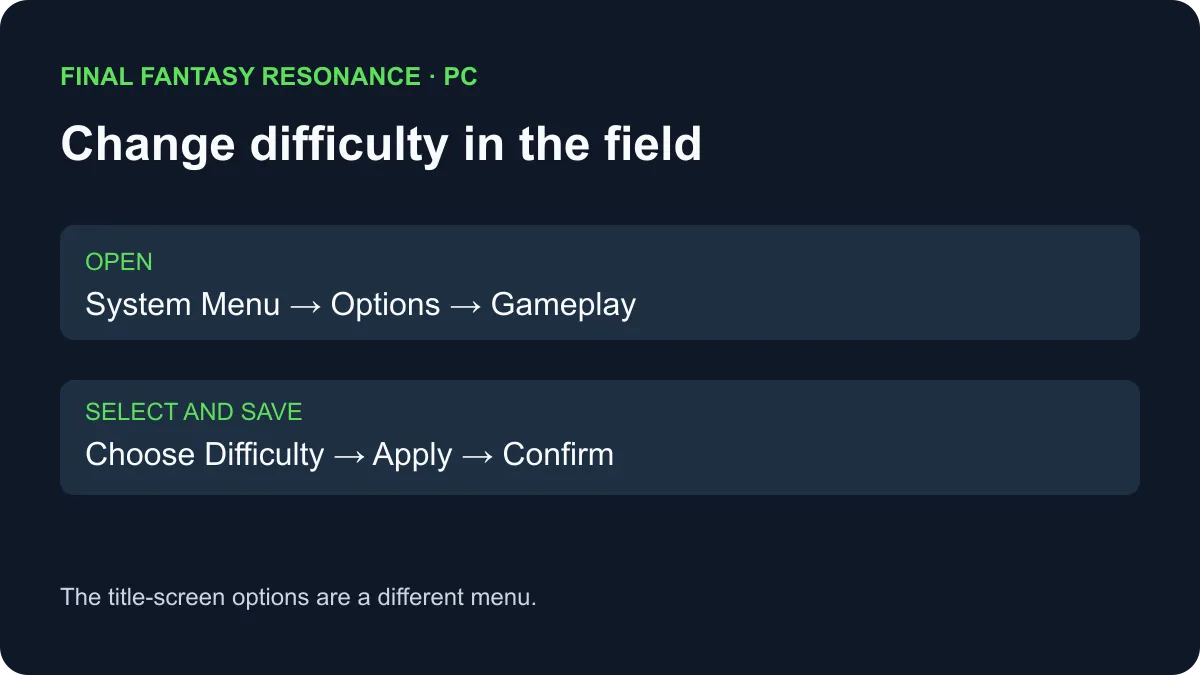
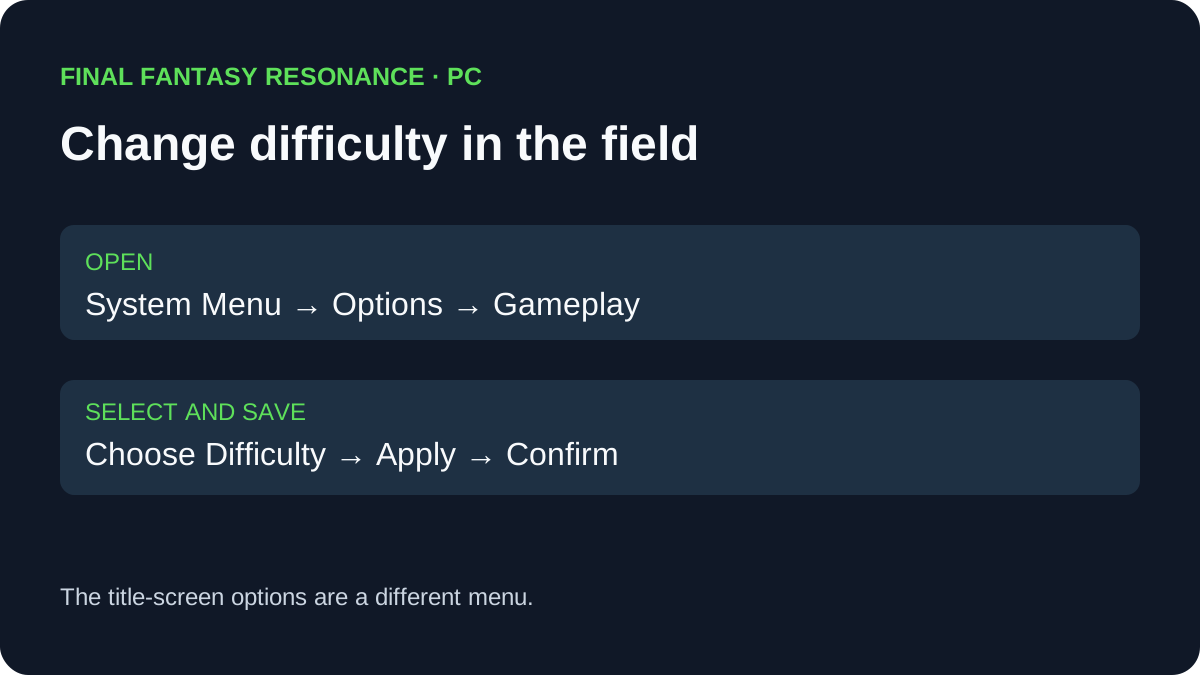
Yes. While playing in the field, open System Menu → Options → Gameplay → Difficulty, select a setting, then apply and confirm it. A hands-on PC walkthrough shows the route and the three choices: Casual, Normal, and Expert.
Where to find the setting
The screenshots in the hands-on PC walkthrough distinguish two places that can look similar:
| Where you are | What the observed screen shows | Next action |
|---|---|---|
| Starting a new game | A difficulty selection before play begins. | Choose one; the confirmation says the setting can be changed later. |
| Title-screen Options | No Difficulty row in the photographed menu. | Load a game before looking for the gameplay setting. |
| Playing in the field | Difficulty is the first row under Options → Gameplay. | Select Casual, Normal, or Expert, then apply and confirm. |
| In battle | The demonstrated menu route was recorded in the field. | Finish the encounter before following the shown route. |
On the PC keyboard shown in the walkthrough, Esc opens the System Menu and R applies the settings; the confirmation then needs a Yes selection. Controller prompts may vary by device. This is a description of the documented PC screens, not an independent test on every platform or patch.
What changes between the choices?
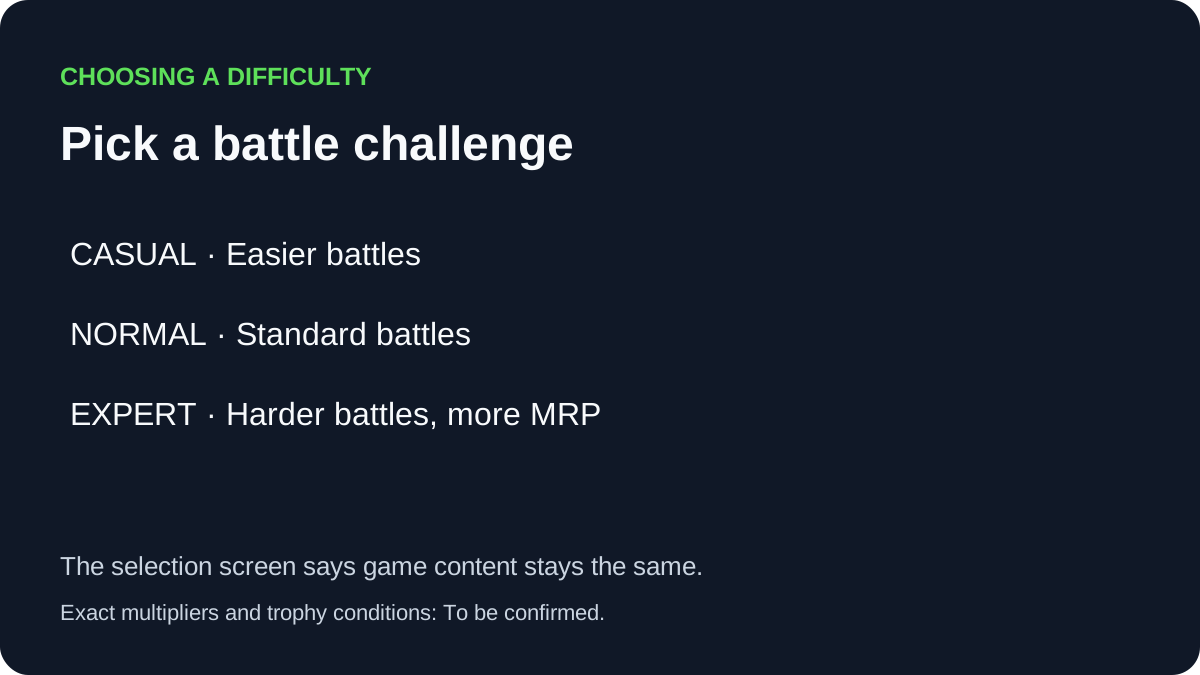
The photographed selection descriptions say Casual makes battles easier, Normal offers the standard battle difficulty, and Expert makes battles harder while awarding more MRP. The same screen says the game content is shared across the choices. It does not give exact enemy-stat multipliers or establish that every reward changes; those details are To be confirmed here.
A practical way to choose is to try a setting during ordinary encounters, then revisit the menu if the pace or challenge does not suit you. The battle-system guide explains the separate Stagger and Resonance mechanics. The New Game Plus guide discusses what the reported cleared save does after the ending.
Does changing it affect trophies or every reward?
The photographed selection screen confirms a higher MRP award on Expert but does not establish a complete reward formula or all trophy conditions. Whether any particular achievement has a difficulty requirement is To be confirmed here. Review the relevant in-game description before assuming a setting is required.
Steam separately lists adjustable difficulty as an accessibility feature. The accessibility guide covers the other listed options and the limits of the store labels.
Sources
- All Things How: Difficulty settings and in-game menu — hands-on PC screenshots of the three descriptions, selection prompt and menu path; checked November 4, 2026.
- Steam: FINAL FANTASY RESONANCE — adjustable difficulty accessibility label; checked November 4, 2026.
Gallery
Related Articles
guides
Why Are Vision Abilities Greyed Out in Final Fantasy Resonance?
Understand the E marker, equipped Visions, learned abilities and AP before changing your setup.
guides
How to Fast Travel in Final Fantasy Resonance
Use the Map destination list, understand dungeon restrictions, and distinguish Fast Travel from save-point Teleport.
guides
How to Use Quick Heal in Final Fantasy Resonance
Find Quick Heal on PC, understand its MP cost, and compare it with tents and revival items.
Was this helpful?
Thanks for the feedback!