
Final Fantasy Resonance Day-One Patch: Status & How to Check
Check the latest Final Fantasy Resonance day-one patch status, what a demo version number proves, and where to check game updates on PS5, Switch, Xbox, and Steam.
FAQ
Is a Final Fantasy Resonance day-one patch confirmed?
Does the demo showing version 1.0.0.0 mean the retail game will have no day-one update?
Where should I check for a game update on launch day?
Is a Final Fantasy Resonance day-one patch confirmed?
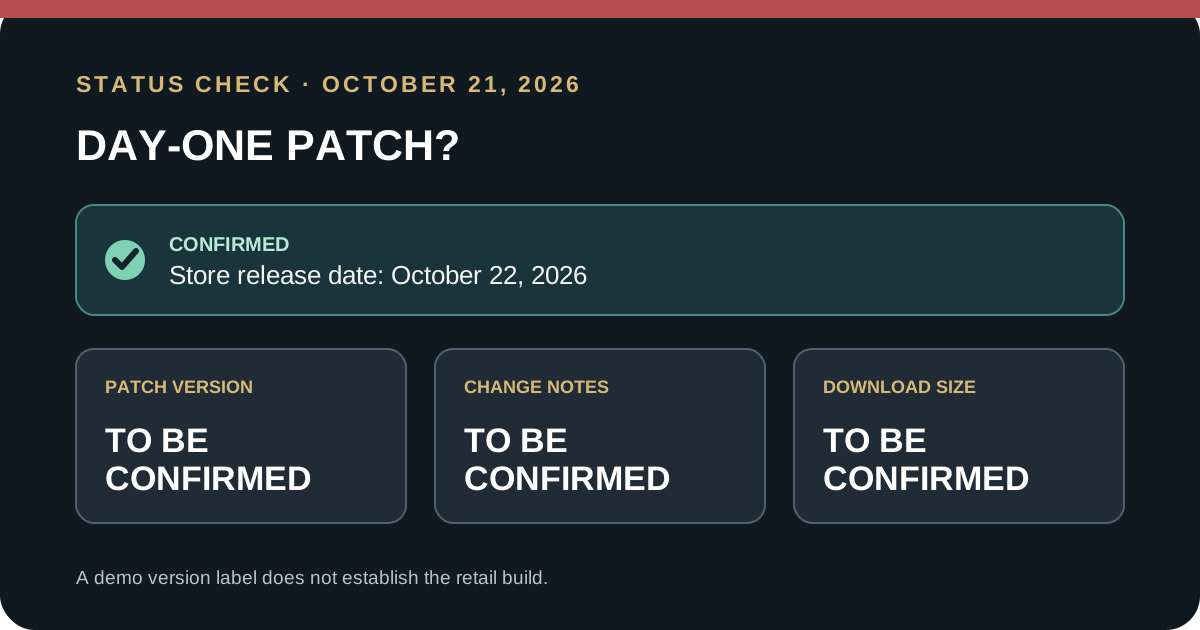
On October 21, 2026, I found no official day-one patch announcement or confirmed retail version or size for Final Fantasy Resonance. Its Steam listing gives the release date but no patch details. A demo version such as 1.0.0.0 does not establish the retail build. Check your platform’s update queue at launch; patch details remain To be confirmed.
What is confirmed before release?
Steam lists Final Fantasy Resonance for October 22, 2026, but the product page does not publish a day-one patch number, change list, or update size. I found no official patch announcement in the sources checked on October 21. That means the practical answer is unknown, not that a patch definitely will or will not exist. A publisher can post a notice or a platform can expose an update closer to launch.
The demo and full game are separate installs. A version label visible in the demo describes that demo install; unless Square Enix explicitly maps it to the release build, it cannot tell you whether the full game has newer files or needs a launch update. The demo’s displayed version is therefore not proof that the retail game is already final.
This is also different from preload. A preload is a pre-release download that remains locked until the store’s release condition is met. A patch is an update to an installed game. The preload guide covers platform download timing; the release-date guide tracks the listed release date and region differences.
Where to check for an update on each platform
Use the device or launcher where you own the game. These are the official platform routes for checking or viewing game updates; they do not confirm that a Resonance-specific patch exists.
| Platform | Update check | What the result tells you |
|---|---|---|
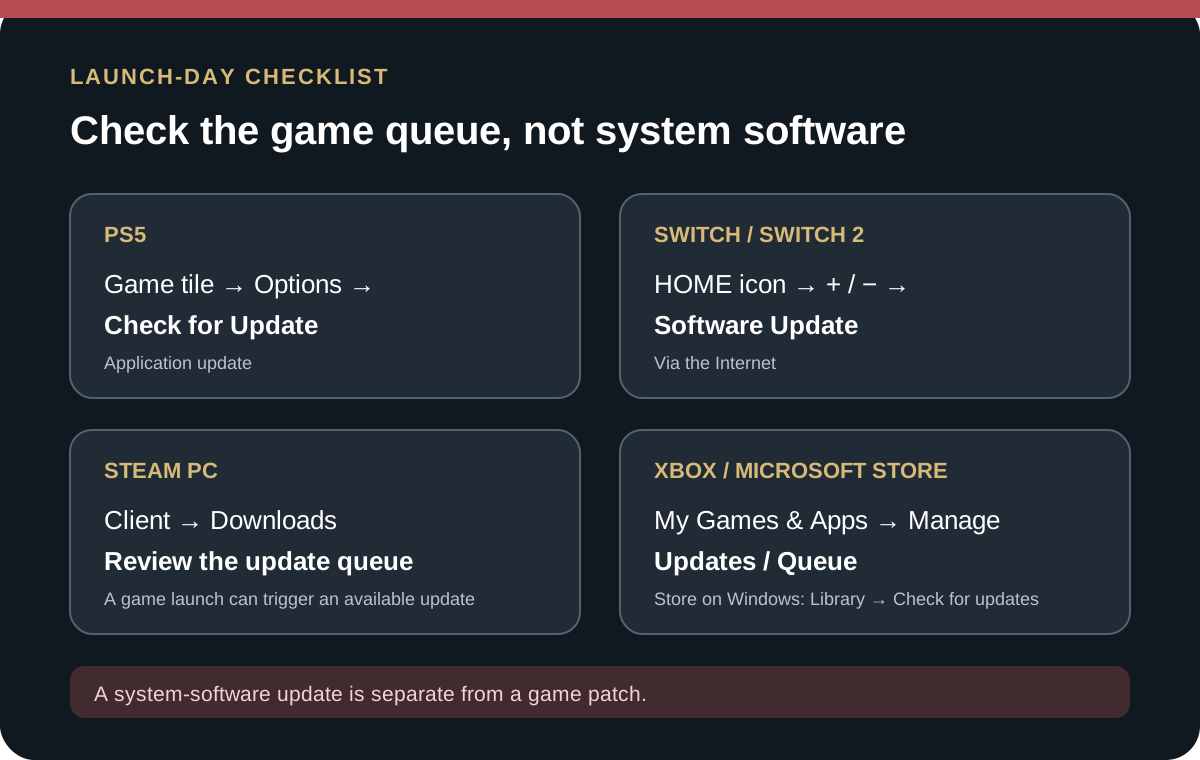
| PS5 | Highlight the game on the Games home screen, press Options, then choose Check for Update. | PlayStation says the console checks for the newest available application version and prompts you if an update is available. This checks the game app, not the PS5 system software. |
| Nintendo Switch / Switch 2 | On HOME, highlight the game without starting it, press + or −, then choose Software Update → Via the Internet. | Nintendo’s support route checks the software title. A console system update is a separate setting under System Settings. |
| Steam PC | Open Downloads in the Steam client to see queued updates. The Steam Support page also says launching a game forces its update to download immediately when one is available. | The queue shows the update status for your Steam install. An empty queue only describes the client at that check; it does not establish a publisher-wide patch statement. |
| Xbox Series X|S | Open My games & apps → Manage → Updates and check the console’s game-update list or queue. | Xbox documents this area for managing game pre-downloads. Check the item’s own queue/status on your console; a system update is not the game’s patch. |
| Microsoft Store on Windows | If your copy is installed through Microsoft Store, open Library → Check for updates. | Microsoft says this checks Store apps and games. Use the storefront where your copy is installed; Xbox PC app and Steam installs have their own update queues. |
Nintendo’s route is especially useful if automatic downloads have not started: select the title icon from HOME, open its Software Update menu, then choose Via the Internet. Don’t confuse that with System Settings → System → System Update, which checks the console itself rather than a game.
How to read a launch-day update screen
- Check the exact edition and storefront. A Switch version, Switch 2 edition, Steam install, or Xbox install may show its own state. Don’t use a demo’s version label to infer the full game’s update.
- Open the game-update queue, not the system-update menu. Console firmware and game application updates are different downloads. Confirm the item name before starting a large download.
- Read the platform’s own size and progress. We do not have a verified Resonance patch size. Treat a number on your own download screen as the device’s current download, not a universal size for every region or edition.
- Recheck after the store refreshes. A message that no update is available means the store found none for that account and install at that moment. It is not proof that no other region or later release build will receive an update.
- Keep enough free space and a stable connection. The title-specific update requirement is To be confirmed. The file-size guide explains why a store’s available-space field and a later patch download are separate figures.
If an update is listed but the game still will not start, first let the queue finish and then relaunch from the same platform. For a PC install, the Steam Deck guide explains what Steam’s compatibility badge does and does not establish; it does not certify the status of a particular launch-day patch.
Frequently asked questions
Does the demo’s 1.0.0.0 label mean the retail game is launch-ready?
No. A demo version label is not a published retail build number. Without an official statement tying that demo build to the full game, the retail version and patch status remain To be confirmed.
Will the day-one update be required to play?
To be confirmed. The sources checked on October 21 do not say whether a retail update will be required, optional, or absent. Check the store’s launch-day prompt and the game’s own update queue after release.
How large is the update?
To be confirmed. The Steam listing checked on October 21 did not give a title-specific day-one update size. Use the size shown by your own platform if an update appears, and do not substitute the full game install size for a patch figure.
Official sources checked October 21, 2026
- Steam: FINAL FANTASY RESONANCE — listed release date and product information; no patch number, notes, or update size on the page checked.
- Square Enix Japan: FINAL FANTASY RESONANCE announcement — publisher announcement for the game and release information.
- PlayStation Support: Check for updates on PS5 and PS4 — game application update route and distinction from system software.
- Nintendo Support: Update game software — manual HOME-menu route for Switch software.
- Steam Support: Managing Steam Downloads & Updates — Download Manager, per-game update settings, and launch-triggered update behavior.
- Xbox Wire: September Xbox update — identifies the console’s My Games & Apps → Manage → Updates screen.
- Microsoft Support: Get updates for apps and games in Microsoft Store — Library check for Store apps and games on Windows.
The status above is a dated check, not a promise that release-day information will stay unchanged. Check the official game listing and your own platform’s update queue again after launch.
Related Articles
guides
Does Final Fantasy Resonance Have Controller Vibration?
Steam confirms controller support for Final Fantasy Resonance, but its listing does not confirm rumble or haptics in the released game.
guides
Final Fantasy Resonance Official Guidebook: Price & Contents
Square Enix lists a 272-page B5 guide for ¥2,860 in Japan. See its release date, contents, catalog number, and what remains unconfirmed for English readers.
guides
Final Fantasy Resonance Age Rating: ESRB E10+ Explained
Final Fantasy Resonance is rated ESRB E10+. Check its official content descriptors, what the rating summary describes, and what it means for a seven-year-old.
Was this helpful?
Thanks for the feedback!