
Final Fantasy Resonance Demo Save Transfer: Fix a Missing Prompt
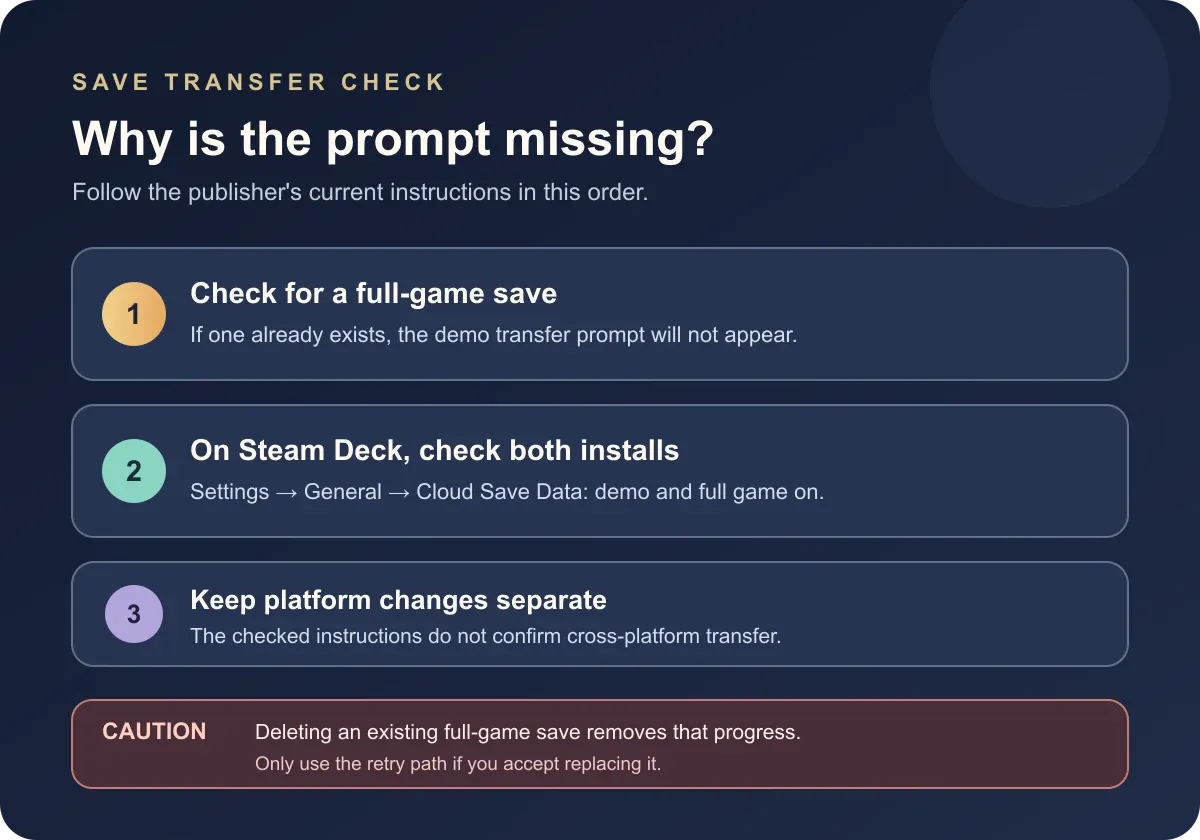
If the demo transfer prompt is missing, check for an existing full-game save first. Square Enix says that save prevents the prompt from appearing.
FAQ
Why is the Final Fantasy Resonance demo save prompt missing?
Can I transfer a newer demo save after starting the full game?
Does Final Fantasy Resonance save demo-capped experience?
Do Chapter 1 trophies or achievements transfer from the demo?
How do I transfer the demo save on Steam Deck?
Square Enix says the Final Fantasy Resonance demo-transfer prompt does not appear if full-game save data already exists. Keep the demo save on its device and start the matching full-game version before creating a separate full-game save. If you already have full-game progress, do not delete it just to test the transfer.
What to check when the transfer prompt is missing
The official support instructions give one main prompt condition: there must not already be a full-game save on the device. The checklist below separates that rule from Steam Deck’s cloud requirement and from platform routes Square Enix has not documented.
| Check | Verified rule and safe next step |
|---|---|
| No full-game save exists | The prompt can appear when you launch the corresponding full version. Keep the demo save in place and follow the on-screen prompt. |
| Full-game save data already exists | The prompt will not appear. Keep the existing save unless you intentionally want to replace it; deletion is not a routine troubleshooting step. |
| Steam Deck | Enable Cloud Save Data for both the demo and full game under Settings → General → Cloud Save Data. |
| Different platform or storefront | The checked support instructions do not specify a cross-platform or cross-store transfer. Use a matching platform path; cross-platform transfer is To be confirmed. |
How to retry with an updated demo save
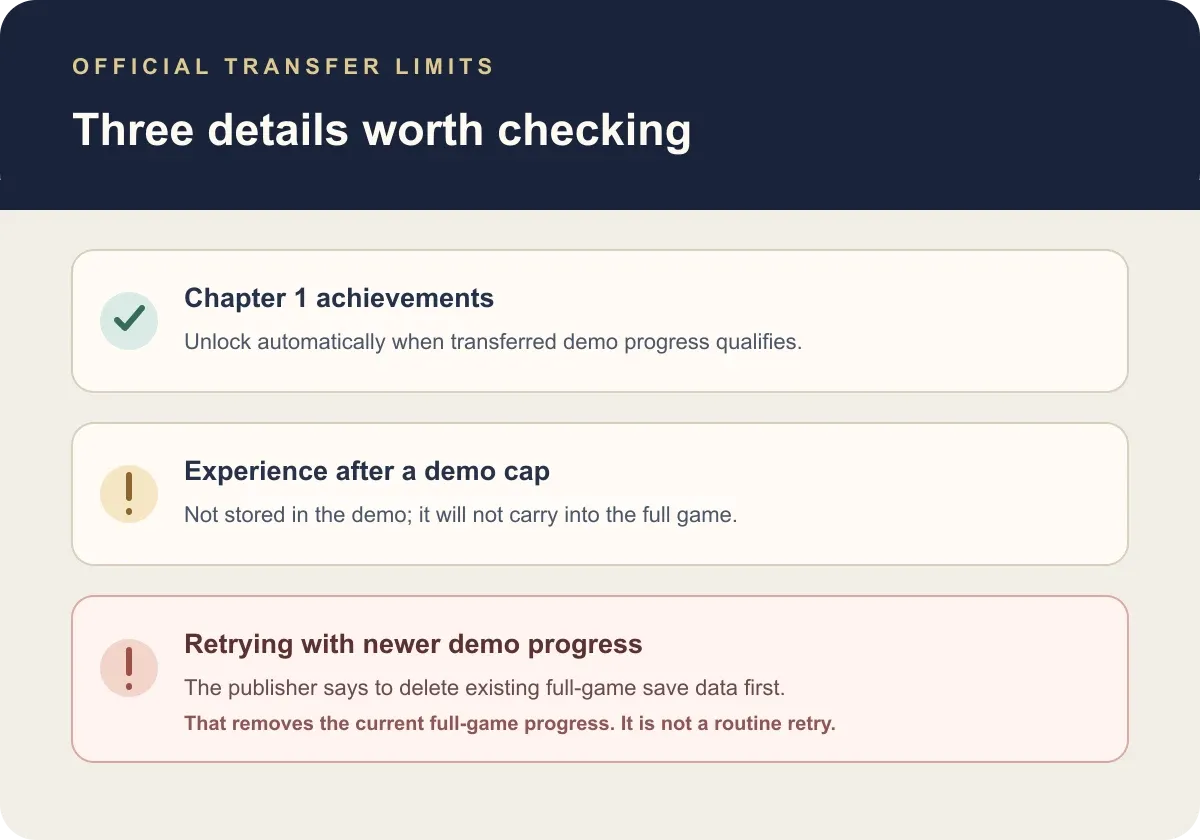
Square Enix says a demo save can be transferred only if no full-game save data already exists. After a transfer creates a full-game save, additional demo progress cannot be imported on top of it. The support instructions say to delete the existing full-game save data from the system’s Home Menu before trying to transfer a newer demo save.
That deletion removes the existing full-game save. Use it only if you are willing to lose or replace that progress. The publisher’s instructions do not describe a merge, rollback, or recovery method for the deleted file, so do not treat deletion as a safe first test.
The initial route is simpler: keep the demo save, launch the full game before creating full-game save data, and follow the transfer prompt. For Chapter 1 route coverage, use the demo walkthrough; the demo overview lists the supported demo platforms and chapter boundary.
What progress carries over, and what does not?
Square Enix warns that experience earned after a demo level cap or other progression limit is not stored and will not be carried into the full game. The support page does not give a cap number in this transfer notice, so this guide does not infer one from another source.
The same support notice says that trophies or achievements which can be earned within Chapter 1 unlock automatically according to the player’s demo progress when the save is transferred. It does not promise that later-chapter achievements unlock from demo data.
Is this the same as Steam Cloud or Nintendo cloud backup?
No. The demo-to-full-game transfer is a game progression route. On Steam Deck, Square Enix specifically tells players to enable Cloud Save Data for both versions; this is different from assuming that every Steam save syncs across devices. See the separate Steam Cloud guide for the PC-to-Deck sync boundary.
For Nintendo players, a Nintendo Switch Online cloud backup does not turn a Switch-edition save into a Switch 2-edition save. The Nintendo Switch Online guide covers that edition boundary. The demo’s exact retail transfer prompt should be followed on the platform where the saved demo progress is stored.
Official sources
- Square Enix Support: Can I transfer my demo save data to the full game? — prompt condition, single-transfer limitation, Steam Deck setting, capped experience, and Chapter 1 achievement behavior; checked October 10, 2026.
- Square Enix Final Fantasy Portal: Free Demo for FINAL FANTASY RESONANCE Now Available — demo platforms, Chapter 1 scope, and the publisher’s save-carryover announcement; checked October 10, 2026.
The full game released October 22, 2026. This guide reports the publisher instructions; the retail prompt has not been independently tested here.
Gallery
Related Articles
guides
How to Save in Final Fantasy Resonance
Find the manual save option on the field map and use save points in towns and dungeons.
guides
Final Fantasy Resonance New Game Plus: Cleared Save Explained
Find out what a cleared save does and what has been reported about New Game Plus in Final Fantasy Resonance.
guides
Final Fantasy Resonance Steam Save File Location on Windows
Find the Windows Steam demo and full-game save folders and understand what a local backup does.
Was this helpful?
Thanks for the feedback!