
Can You Play Final Fantasy Resonance on Steam Link?
Steam Remote Play can stream between computers, but the current game listing does not confirm Steam Link phone or TV support.

FAQ
Can I play Final Fantasy Resonance on my phone with Steam Link?
Does Steam Remote Play work between two computers?
Does the host PC need to stay on?
Is Steam Remote Play Together the same as Steam Link streaming?
Can you play Final Fantasy Resonance on Steam Link?
Steam Link is designed to stream a game from your Steam PC to a supported phone, tablet, or TV, but the current Final Fantasy Resonance listing does not mark it as identified for Steam Link device streaming. That missing label is not proof the app cannot stream it; Steam’s general Remote Play guidance covers computer-to-computer streaming, while the game’s phone or TV behavior remains To be confirmed until you try the app.
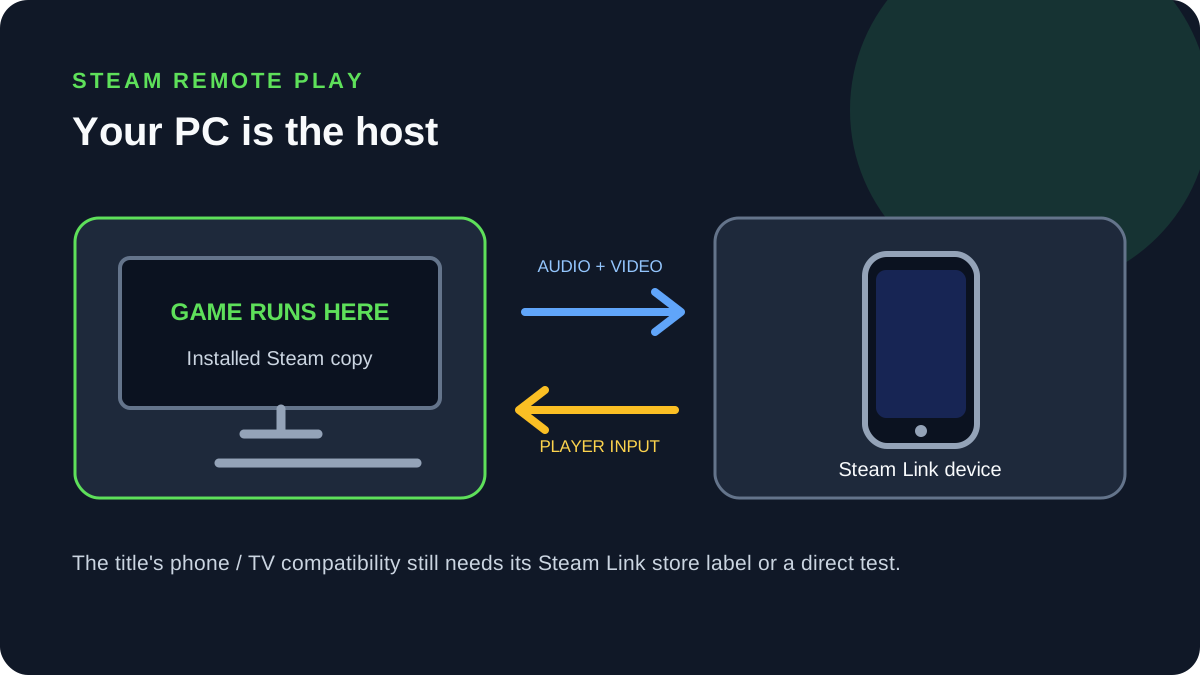
What Steam confirms for this game
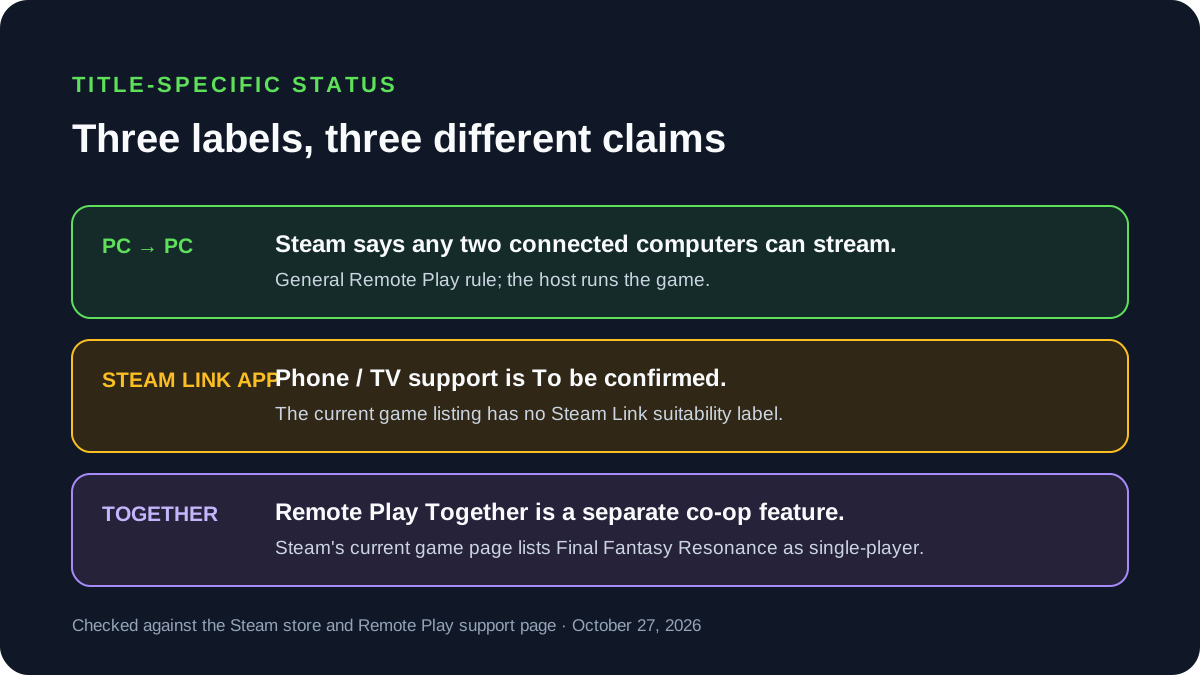
The current Steam page lists Final Fantasy Resonance as single-player and shows Steam Cloud, Family Sharing, achievements, and Trading Cards. It does not show Steam’s “good for streaming to devices using the Steam Link app” label. Steam’s support page separates general PC-to-PC streaming from this store-page suitability marker:
| Route or label | What the official pages establish | Status for this game |
|---|---|---|
| Steam Remote Play between your own computers | Steam says any two Steam-connected computers can stream a game session. The host runs the game and sends audio/video; the client returns input. | Covered by Steam’s general Remote Play rule. A title-specific device test is not implied. |
| Steam Link app on phone, tablet, or TV | Steam Link connects a supported device to a computer running Steam. Steam says the store identifies games it considers good for streaming to Steam Link devices. | The checked listing lacks the suitability label. That is not proof streaming cannot work; this title’s app behavior is To be confirmed. |
| Remote Play Together | A host can invite another person into a supported local co-op session. | The current game page lists Single-player, not Remote Play Together. Do not read Remote Play as a co-op feature. |
This is the key distinction for a buyer: “Steam Remote Play exists” does not mean every game has a Steam Link device badge, and neither label means the game runs natively on a phone. Remote Play uses a computer as the host.
How to check before planning a phone or TV session
- Open the live Steam store page and look for the Steam Link device-streaming suitability label. Its absence means the listing does not make that title-specific recommendation; it does not establish that streaming is blocked.
- Install the game and launch it once on the Steam computer you intend to use as the host. Steam recommends confirming the host game launches before troubleshooting Remote Play.
- Install Steam Link on a supported phone, tablet, or TV and follow the app’s pairing flow to connect it to your Steam computer. Steam lists iPhone, iPad, Apple TV, Android phones, tablets, and TVs among supported device types on its app page.
- Open the Steam library in the app and try a short stream while you are near the host. If the stream option is missing, check that the host is running Steam, the game is installed, and both sides use the same Steam account.
- Keep the host computer awake and connected while playing. Steam Remote Play captures the game on that computer; the client receives the stream and sends controls back.
Steam Link is not cloud gaming
With Steam Link, your own Steam computer runs the game. The app streams that computer’s session to another supported device. If the host is off, the game is not running for Remote Play to capture. This differs from a cloud-gaming service, where a provider’s server runs the game, and from the Xbox Cloud Gaming guide, which covers the title’s Xbox store purchase and plan requirements.
If you want a handheld that runs the PC game locally, see the Steam Deck compatibility guide. If you want to carry a save between Steam devices, the Steam Cloud save guide covers the store’s sync label and the title-specific behavior that still needs a direct check.
Official sources
- Steam: FINAL FANTASY RESONANCE — current feature list and player mode; checked October 27, 2026.
- Steam Support: Steam Remote Play — PC-to-PC streaming, Steam Link app device-streaming label, host/client setup, and troubleshooting; checked October 27, 2026.
- Steam Link — official app overview, computer-to-device streaming, and supported-device types; checked October 27, 2026.
Steam’s app page describes streaming from a computer to supported devices, but it does not test this game. The current store page has no Steam Link device-suitability label, so there is no title-specific optimization confirmation. That absence is not a statement that the app cannot stream the game; actual phone, tablet, or TV behavior is To be confirmed until tested.
Gallery
Related Articles
guides
How to Change Battle Speed in Final Fantasy Resonance
Find the battle-speed control on PC and distinguish combat speed from text and movement settings.
guides
Final Fantasy Resonance Steam Save File Location on Windows
Find the Windows Steam demo and full-game save folders and understand what a local backup does.
guides
Final Fantasy Resonance Controller Not Working on Steam: What to Check
Compare controller detection, input and in-game response in Final Fantasy Resonance without assuming a universal fix.
Was this helpful?
Thanks for the feedback!